Some versions ago I saved a couple of files from my Lenovo laptop, they are still accessible from there but when I use my Surface laptop or my Work PC, i can see the filenames (and empty thumbnail) but opening the saves shows a totally empty project
Could you please clarify if this issue occurs with local or cloud files?
If the files are local, you’ll need to save them as cloud documents on your old laptop before you can open them on other devices.
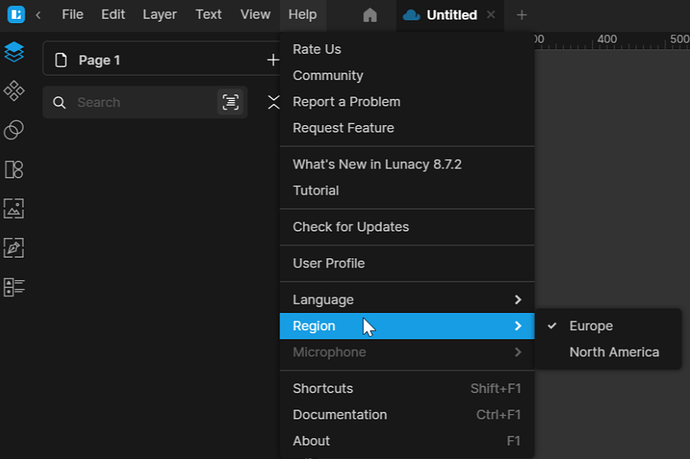
If they are already cloud documents, try changing the region in Lunacy
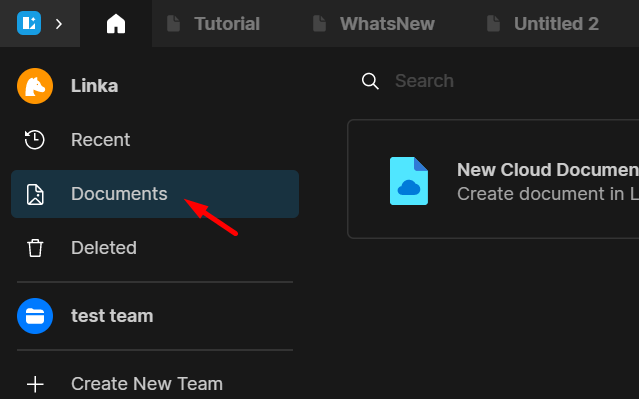
It’s cloud files, All 3 of my devices would show different things when I click on “My Cloud” it’s almost as if they are local.
Let me try afresh and see if this issue still persists
Hey Lina, Ok so using my work PC i saved a document under Europe, (for some reason it was allowing me to select 2 regions at once), I get home and find Lunacy at home has South-Africa selected, after several toggles I find that it has gone back to allowing only one selected Region at a time - which I feel is the intended way to use it.
Long story short I have found my cloud document but this Region thing feels like a feature that needs to be marketed more coz right now it feels like a problem, I thought changing region was more about better latency
Great to hear that you found your files. The Region feature is designed to improve latency and provide faster access to your files. That said, I agree we could do a better job of letting users know which server they’re connected to.
There’s still the issue of workspaces being totally empty, i have spent months on some of my designs and they are now just empty documents.
I am lost for words this is such a frustrating thing to happen
Could you share some more info about this issue, please? Does this happen when you switch regions? It would also help if you could share the current versions of your OS and Lunacy.